Wednesday, January 30, 2019

Bounded and Unbounded mailbox

Two types of mailbox.
1) Bounded mailbox
2) Unbounded mailbox

REQUIREMENT
Bounded mailbox
It requires to transfer limited packets.

Unbounded mailbox
Used to transfer to unlimited packets.


APPLICATION
Bounded mailbox
- Fixed(2KB) number of memory size need to verify

Unbounded mailbox
- To make a generic checker/scoreboard for different size of memories

ANALOGY

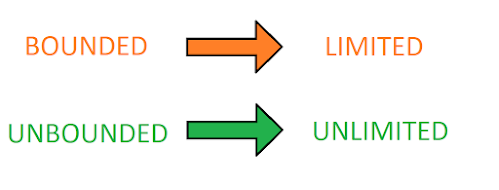
Bounded mailbox is same as limited internet pack. Like limited size of data is available
in data pack.
Similarly, limited size of packets can store.
An unbounded mailbox is the same as an unlimited internet pack. Where unlimited data is available to use the internet. Similarly, an unlimited size of packets can store.


USER WANTS CODE

// UNBOUNDED MAILBOX EXAMPLE
program mailbox;
  mailbox m1;
  int i,j;
  initial
    begin
      m1 = new;  // unbounded mailbox, it can store unlimited packets
      repeat(5 // multiple packets we can verify, change the vlaue from 5 to any number
        begin
          m1.put(i); //put packet/value in mailbox
          i++;
          $display("Unbounded mail box value of i = %d",i);
          
        end
    end
endprogram


To run simulation click on below link:
Link: https://www.edaplayground.com/x/6Fwp

// BOUNDED MAILBOX EXAMPLE
program mailbox;
  mailbox m1 = new(3); // bound the mailbox with 3, it can not store more than 3 packets
  int i,j;
  initial
    begin
      repeat(5)  // limited packets we can verify, change the vlaue from 5 to any number
        begin
          m1.put(i); //put packet/value in mailbox
          i++;
          $display("Bounded with 3 value of i = %d",i); // will reach to only 3 as mailbox is bounded with 3 
        end
    end
endprogram

To run simulation click on below link:
Link: https://www.edaplayground.com/x/znA

Sunday, December 30, 2018

SYSTEMVERILOG MAILBOX

Systemverilog Mailbox is communication mechanism to allows packets(object of sequence item/transaction) to be exchanged between two blocks/components/processes of Testbench.


Systemverilog Mailbox can efficiently use to exchange information between two independent components.

LIMITATION OF SEMAPHORE
Systemverilog Semaphore could not exchange information between to process. It can useful only for locking mechanism between to processes. Which means Semaphore could not able to send packet(object of sequence item) from one process to another process.Mailbox is automatic class of semaphore.

REQUIREMENT
It is the most required process to send a packet from one process to another process. Consider the scenario to send entire packet information like address, data, packet_no, message_no to another process.


APPLICATION
To send data from generator to driver.

ANALOGY
It is like pipe line connection between to process/components for data exchange.


USER WANTS CODE
program mailbox;
  mailbox m1;
  int i,j;
  initial
    begin
      m1 = new// allocate memory to mailbox
      repeat(5)
        begin
          m1.put(i); //put value in mailbox
          i++;
          m1.get(j); // get value in mailbox
          $display("value of j = %d",j);
         
        end
    end
endprogram


To run simulation click on below link:

Thursday, November 29, 2018

DIFFERENCE BETWEEN ‘@EVENT’ AND EVENT.TRIGGERED IN SYSTEMVERILOG

@EVENT:
- It is EDGE sensitive event. Event is sample by edge. @event should execute before event get trigger or it cause race condition.
- Consider scenario if ‘@event’ and ‘->event’ trigger at same time. @event looking for edge detection, until it will not detect next edge detection @event block the statements written below it.


USER WANTS CODE:

module edge_event;
event e; // event declaration
initial
begin
  repeat(1)
  begin
    #10; // SAME TIME
    ->e; // activate event or trigger event
  end
end

initial
begin
  repeat(2)
  begin
    #10; // SAME TIME
    @ (e) // check event trigger at CURRENT TIME slot
    $display("\n@%0t event is triggere\n",$realtime);
  end
end

initial
begin
  #50;
  $display("\nRACE Condition, statement is BLOCKED\n");
  $finish;
end
endmodule


To run simulation click on below link:

EVENT.TRIGGERED:
- It is level sensitive measurement. Event.triggered statement check LEVEL difference at CURRENT TIME slot.
- Consider scenario if ‘wait(event.triggered)’ and ‘->event’ trigger at same time. wait(event.triggered) looking for level difference in CURRENT TIME slot and execute the code written below it.


USER WANTS CODE:

module level_event;
event e; // event declaration
initial
begin
  repeat(1)
  begin
    #10; // SAME TIME
    ->e; // activate event or trigger event
  end
end

initial
begin
  repeat(2)
  begin
    #10; // SAME TIME
    wait(e.triggered) // check event trigger at CURRENT TIME slot
    $display("\n@%0t event is triggere\n",$realtime);
  end
end

initial
#50 $finish;

endmodule

To run simulation click on below link:
Link: https://www.edaplayground.com/x/3VXd

DIFFERENCE BETWEEN WAIT AND IF CONDITION
Wait: wait keyword use to blocking until condition is not satisfied.
Else keyword can not use with wait statement.
If: if keyword use to check the condition without any blocking.
Else keyword can use with if condition.