Requirement:
While developing testbench, it is required to process the data between to separate entity. In Verilog provides the option of "event" but, that is a static object. Verilog language does not have the ability to create the dynamic event. Semaphore is the built-in class to use for synchronization.
Application:
Consider two threads are ongoing parallel. Now need to control this two thread. While the First thread is ongoing second thread need to wait to complete the operation of the Fist thread. Similarly, when the second thread is ongoing, First thread need to wait to complete the process for the Second thread.
 Analogy:
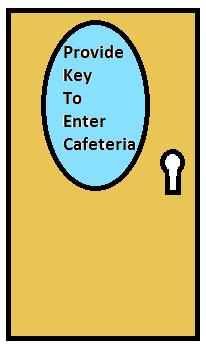
Consider in the cafeteria where a limited number of chairs are available. Need to manage the arrangement of the cafeteria. The only Premium customer can use the cafeteria. So, every time when the customer enters the cafeteria key is provided to it. Similarly, while leaving the customer drop the key in the box.When there is no keys are available means all the chairs are occupied.
No place to sit in the cafeteria.
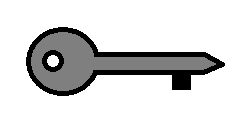 Similarly, the semaphore is like a cafeteria, the process is like the customer and key is like the chair. While constructing the semaphore user will decide the size of the semaphore means the number of chairs. When process start simulation semaphore provides the key to it. Once all the keys are occupied means semaphore is full. Once process will complete it drop the key indicate space is again created in semaphore.
USER WANT CODE:
program semaphore_example();
semaphore cafeteria;
task provide_chair(int addr, int data);
$display("Taking FOOD addr %d", addr);
#10;// do some operation
endtask
int done = 0, i = 0;
initial
begin
// here we initialize the semaphore with one token
cafeteria = new(1);
fork
begin
// here is one parallel thread competing
while(!done)
begin
// wait for some random time
$display("First customer is waiting to get the chair");
#($random() % 100);
// attempt to get the one semaphore token
cafeteria.get(1);
// got it!, lets use the bus
$display("First customer got the chair");
provide_chair(200, $random());
i++;
// we must return the semaphore token
cafeteria.put(1);
$display("First customer drop the chair");
end
end
begin
// here is second parallel thread competing
while(!done)
begin
// wait for some random time
$display("Second customer is waiting to get the chair");
#($random() % 100);
// attempt to get the one semaphore token
cafeteria.get(1);
$display("Second customer got the chair");
provide_chair(200, $random());
i++;
// we must return the semaphore token
cafeteria.put(1);
$display("Second customer drop the chair");
end
end
// here is a another parallel thread
// this is to decide close the cafeteria
begin
while(!done)
begin
@(i);
if (i > 10)
done = 1;
end
end
join
$display ("done -- out\n");
end
endprogram
To run simulation click on below link.
Link: https://www.edaplayground.com/x/5nkS
While developing testbench, it is required to process the data between to separate entity. In Verilog provides the option of "event" but, that is a static object. Verilog language does not have the ability to create the dynamic event. Semaphore is the built-in class to use for synchronization.
Application:
Consider two threads are ongoing parallel. Now need to control this two thread. While the First thread is ongoing second thread need to wait to complete the operation of the Fist thread. Similarly, when the second thread is ongoing, First thread need to wait to complete the process for the Second thread.
Analogy:Consider in the cafeteria where a limited number of chairs are available. Need to manage the arrangement of the cafeteria. The only Premium customer can use the cafeteria. So, every time when the customer enters the cafeteria key is provided to it. Similarly, while leaving the customer drop the key in the box.When there is no keys are available means all the chairs are occupied.
No place to sit in the cafeteria.
Similarly, the semaphore is like a cafeteria, the process is like the customer and key is like the chair. While constructing the semaphore user will decide the size of the semaphore means the number of chairs. When process start simulation semaphore provides the key to it. Once all the keys are occupied means semaphore is full. Once process will complete it drop the key indicate space is again created in semaphore.USER WANT CODE:
program semaphore_example();
semaphore cafeteria;
task provide_chair(int addr, int data);
$display("Taking FOOD addr %d", addr);
#10;// do some operation
endtask
int done = 0, i = 0;
initial
begin
// here we initialize the semaphore with one token
cafeteria = new(1);
fork
begin
// here is one parallel thread competing
while(!done)
begin
// wait for some random time
$display("First customer is waiting to get the chair");
#($random() % 100);
// attempt to get the one semaphore token
cafeteria.get(1);
// got it!, lets use the bus
$display("First customer got the chair");
provide_chair(200, $random());
i++;
// we must return the semaphore token
cafeteria.put(1);
$display("First customer drop the chair");
end
end
begin
// here is second parallel thread competing
while(!done)
begin
// wait for some random time
$display("Second customer is waiting to get the chair");
#($random() % 100);
// attempt to get the one semaphore token
cafeteria.get(1);
$display("Second customer got the chair");
provide_chair(200, $random());
i++;
// we must return the semaphore token
cafeteria.put(1);
$display("Second customer drop the chair");
end
end
// here is a another parallel thread
// this is to decide close the cafeteria
begin
while(!done)
begin
@(i);
if (i > 10)
done = 1;
end
end
join
$display ("done -- out\n");
end
endprogram
To run simulation click on below link.
Link: https://www.edaplayground.com/x/5nkS


